Stacy's Mom
A Discord bot for using Yerbas. Also named "The Wallet Bot" , "Stacy's Mom" or just "Stacy", and used as the default YERB wallet bot on the Yerbas Discord.
About the Wallet Bot
The Wallet Bot assigns you private keys that are only accessible via your full discord ID. This means you must backup your keys! In the event you lose access to your discord account, a backup of these private keys are required to access your wallet or funds again.
It's important to know that the bot's creator cannot access your private keys.
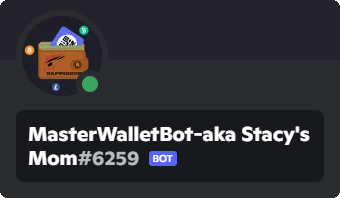
Stacy's Mom interacts through two accounts. Check the ID's of these accounts if you suspect forgery or malicious fakery.
| Wallet-Bot aka Stacy Mom#6261 | MasterWalletBot-aka Stacy's Mom#6259 |
|---|---|
| ID: 511918601838657558 | ID:916225084698550314 |
 |  |
How to use the Wallet Bot
Activating receiving Transaction ID's
In order to receive Transaction ID's (TXids) when placing a transaction, you're required to give the Wallet Bot permission to do this first. This is done by sending the Wallet Bot a Private Message (DM) first, to which it can reply in the future.
- Tap/click the profile picture
- Tap/click the profile picture again: "View profile" appears
- Tap/click the three dots on the right-hand side (three vertical dots)
- Tap/click the second option: Message (under Block)
- Send the Wallet Bot
yerb.helpto request the help menu.
The Wallet Bot is now able to send you private messages with Transaction ID's (TXids) when you place a transaction.
Placing a transaction
Placing a transaction with the Wallet Bot is similar to how YerbasCore CLI works. You can send YERB to both addresses, as well as Discord users. Use the following structure:
yerb.send <amount> <address> [optional comment] or yerb.send <amount> <Discord tag> [optional comment]
Raining YERB
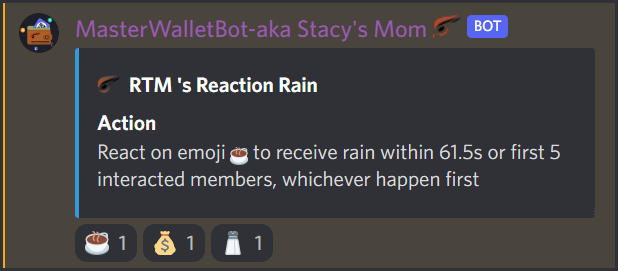
The Wallet Bot is able to 'Rain' coins on request from anyone who has permission to do so. The order of the arguments used is specific, and will not work properly when not used in this order.
yerb.send <amount> <action> [max_users] [time_in_seconds] [if]
for example:
yerb.send 25 i 5 60
| Argument | Description |
|---|---|
| amount | The amount of YERB to send in the transaction |
| action | Type of rain to use; I (Interactive), A (Active), (Random) |
| ㅤ↳ I (Interactive) | Displays a given emoji and reaction emoji's. Users click the correct emoji to claim. |
| ㅤ↳ A (Active) | Picks active users in the last XYZ seconds as rain recipients. |
| ㅤ↳ R (Random) | Picks random users as rain recipients. |
| max_users | Max users the rain is distributed to. Defaults to 15 users. |
| time_in_seconds | Time the rain lasts, in seconds. Defaults to 10 seconds. |
| if | (optional) Subtracts transaction fee from amount. Leave out when not required. |
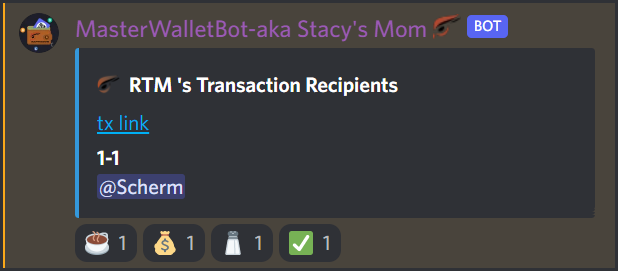
A successful rain will change the message from the Wallet Bot to display a summary of the rain, which includes a list of the recipients as well as a transaction ID link ("tx link") that links to the Yerbas Explorer. The Wallet Bot also responds with a checkmark (✅) if the transaction was succesful.